building this site
Why Astro?
There were a few requirements for the blog, but a large one was that it provided a nice balance between content authoring and providing interactivity. Performance and experience is at the forefront of what I do, and Astro seemed like it had the ability to deliver on both.
Site Contents
You’ll have noticed there is quite a lot of training data included in the website, a lot of it is “real-time”. For example, you can see live estimations of my step count, weight, and sleep timing. This is to serve myself mostly. This is the primary function of the website.
Data Pipelines
The interesting part is the live data. Apple Health data arrives via a webhook from my phone — steps, sleep, weight — and gets normalized and stored. My training syncs from Google Sheets, where I log my workouts, and Claude Haiku parses the messy spreadsheet text into structured json. I can’t rely on my coach to reliably structure the sheet, so the extraction needs to handle ambiguity without the cost scaling linearly with sheet size.
How to Parse an Entire Google Sheet without Bankrupting Yourself
The sheet data is messy. My coach writes freeform text, merges cells, and the layout has side-by-side panels for different training days across columns B through AE. There’s no clean API for this — it’s a spreadsheet that a human uses, not a database.
The trick is to never send the whole sheet to the LLM. The sync endpoint fetches the raw sheet via Google’s API, converts the 2D cell array into numbered TSV (compact, cheap on tokens), and then scans for week boundaries by matching Week N headers in the rows. Each week becomes its own chunk.
From there it’s a content-hashing problem. Every chunk gets a SHA-256 hash, which is compared against the hash stored from the last sync. If a week hasn’t changed, it doesn’t get sent to the LLM at all. Most syncs only re-extract one or two weeks — the current one being trained, and maybe the next one if the coach has updated programming.
For the weeks that did change, each chunk gets sent to Claude Haiku with a system prompt describing the sheet layout and the expected JSON schema. Haiku is cheap and fast enough for structured extraction. When three or more weeks need extracting (like the initial sync), the requests go through Anthropic’s Batch API for a 50% cost discount. For one or two weeks it’s synchronous calls — the polling overhead of batching isn’t worth it at that scale.
The whole thing runs for a few pence per sync. Earlier attempts at sending the entire sheet in one prompt were both expensive and unreliable — the model would lose track of which columns belonged to which day. Chunking by week solved both problems.
This means the site always reflects what’s actually happening. the metrics in the header are real. The training log is real. This isn’t another static portfolio, it’s a live representation of my day. I’ve smoothed the data over to ensure that it’s not creepy, for most stuff you get a moving average and not hyper-specific tracking for my day.
React Islands
Recharts powers the visualizations. Each chart is a react component that hydrates on the client-side. The carb timeline, training volume trends, and metric sparklines are all interactive without bloating the rest of the page. I think this is straight up a better abstraction than what Next.js provides. In Next, everything is a React component — your static marketing copy, your nav, your footer — and you opt out of interactivity with "use server" or by carefully structuring your component tree to keep client bundles small. The mental model is “everything is JavaScript unless you tell it not to be”. Astro flips that. Everything is static HTML by default, and you opt in to interactivity with client:load or client:only on the specific components that need it. The result is that you think about JavaScript as an enhancement rather than a baseline. For a site like this where 90% of the content is static text and the remaining 10% is interactive charts, islands just make more sense. I don’t need a framework-level decision about server components vs client components — I need a chart that hydrates and a page that doesn’t ship React to render a paragraph.
shadcn/ui provides the component primitives — cards, tooltips, badges. This let me focus on scaffolding the site quickly and then adapting to my own personal aesthetic.
What I’d Do Differently
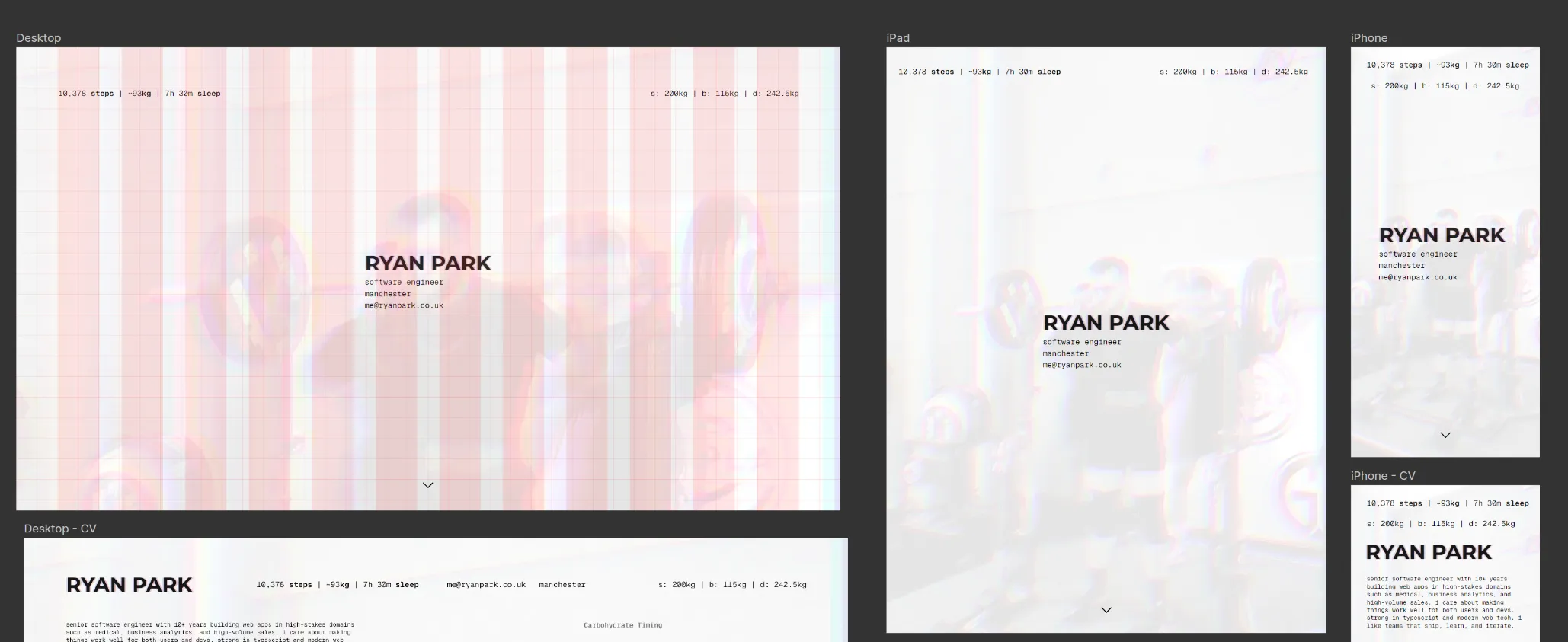
Big one is that I would use less grid-based development. Clamp and fluid CSS constructs make things scale so naturally that rigid grid planning just isn’t necessary anymore.
Additionally, I’d go straight for Railway. I initially planned on Vercel with Turso, but Railway’s developer experience with managed Postgres made the whole stack simpler.
Lastly, I’d plan the LLM extraction pipeline upfront rather than iterating toward it. The chunking and hashing approach described above was the third attempt — the first two sent too much context and got unreliable results.